
Free 1-Year Remote Support
Eligible laptops, desktops, workstations, mini PCs, monitors and other items include complimentary 1-year remote technical support from Win Support Tech. Our team can assist with device setup, software installation, Windows troubleshooting, driver issues, performance optimization, printer connectivity, email configuration, and general technical assistance. Support is provided remotely through secure support tools, phone, or email. Product eligibility may vary.
Product Highlights
SPECIFICATIONS
Active Area: 475.392 x 267.408mm
Adjustable Stand: ST100D
Battery Included: no
Brand Name: HUION
Brightness: 250nit (Typ)
Certification: CE
Color Gamut Coverage: 99%sRGB, 99%Rec.709, 94%Display P3, 90%Adobe RGB
Color Gamut Volume: >130% sRGB
Contrast Ratio: 1000:1
Digital Pen: PW600L
Dimension: 527.7x324.7x16-36.7mm(Without Stand)
Display Color: 16.7M (8bit)
High-concerned chemical: None
Input Voltage: AC 100-240V, 50/60Hz
Interface Type: USB
Interfaces: HDMI x 1, USB-C x 1
LCD Type: IPS 90Hz
Material: ABS, Plastics
Net Weight: 3.6 kg (With Stand)
OS Support: Windows 7 or later, macOS 10.12 or later, Android(USB3.1 DP1.2 or later)
Origin: Mainland China
PPI (Pixels Per Inch): 137 PPI
Package: Yes
Panel Size: 21.5'' (Diagonal)
Pen Resolution: 5080 LPI
Pen Technology: Battery-Free EMR
Power Consumption: ≤32W
Pressure Levels: 16384,16384 Levels
Product Model: GS2203
Product Name: Kamvas 22 (Gen 3)
Reading Height: 10mm
Resolution: 2560 x 1440 (16:9) QHD
Resolution Ratio: 5080lpi
Response Time: 14ms (Typ.)
Screen Resolution: 2560 x 1440
Storage Temp. and Humidity: -20°C~60°C, 10-90%
Surface Finish: Canvas Glass 2.0
Type: Pen Tablet Monitor,Digital Tablets
VESA Compatibility: 75x75mm
Working Temp. and Humidity: 0-40°C, 20-80%
utput Voltage: 12V 3A
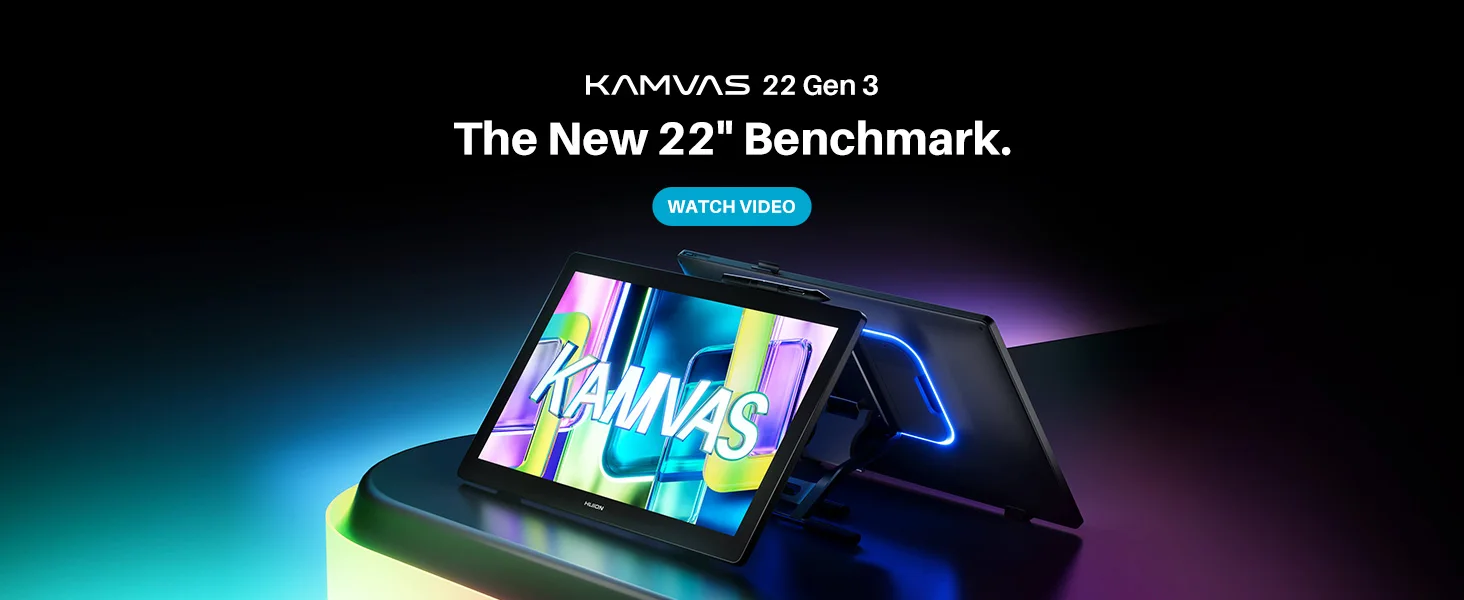
NEW KAMVAS 22 GEN 3
Coming on March 3, 2026
2.5K 90Hz Display, PenTech 4.0, Canvas Glass 2.0, Ambient Lighting, Factory Color Calibration Report.
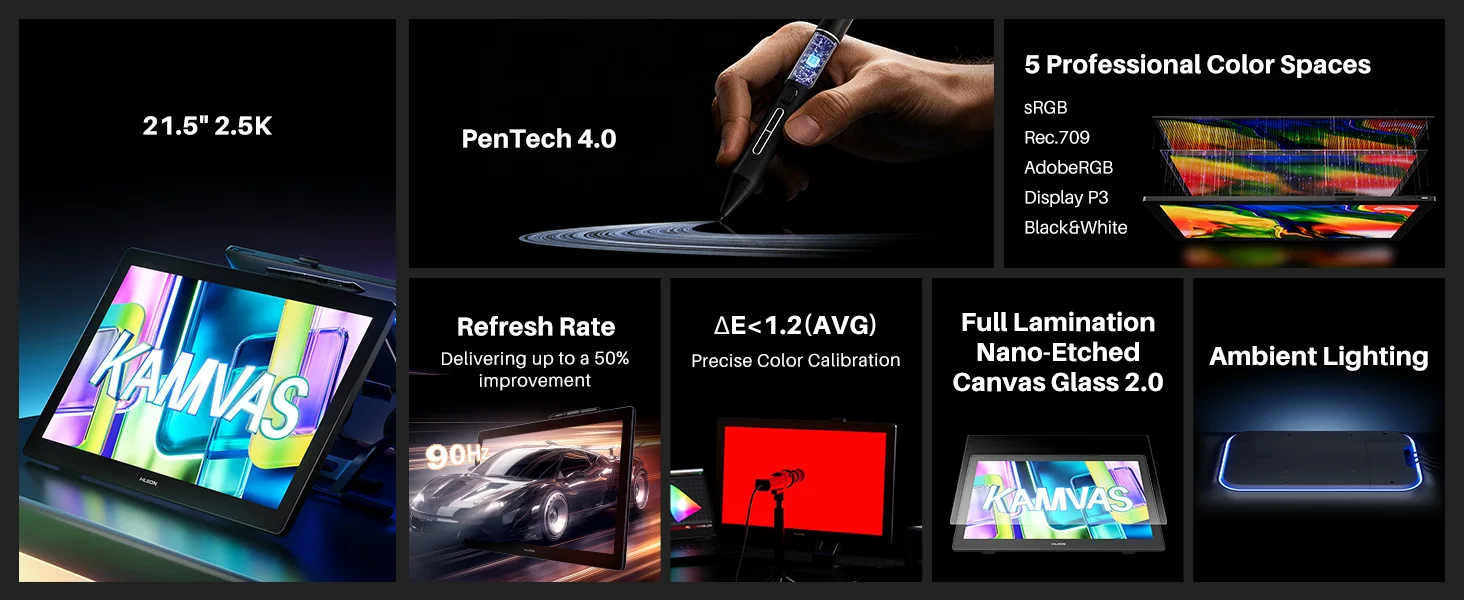 Higher Resolution, Sharper Details, Brighter Visuals
Kamvas 22 (Gen 3) features a large 21.5-inch 2.5K (2560 x 1440) 16:9 display that brings your illustrations to life with sharp and vibrant details. With a spacious canvas, you have plenty of room for free hand movements, letting your creativity flow uninterrupted. Compared to its predecessors, the Kamvas 22 and Kamvas 22 Plus, it brings multiple upgrades for an overall better experience.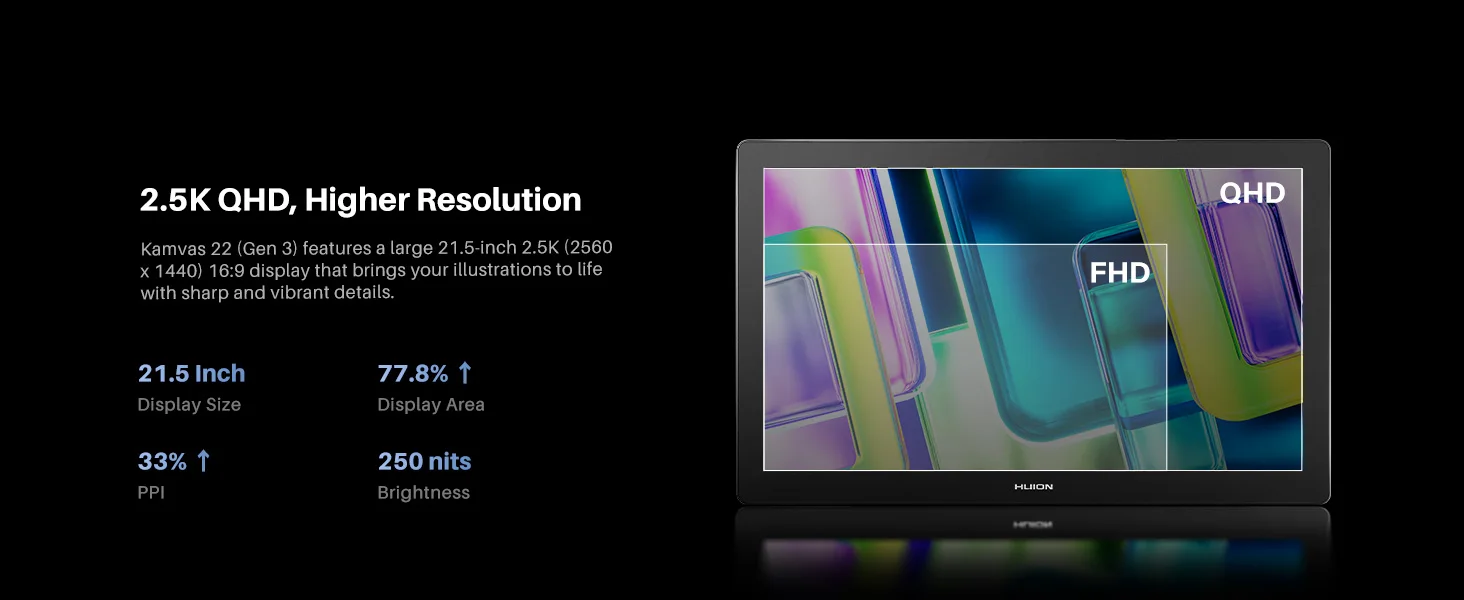
The refresh rate is upgraded to 90Hz, delivering up to a 50% improvement in display smoothness and line rendering speed. This enhances fluidity in dynamic art creation and provides a more vivid visual experience.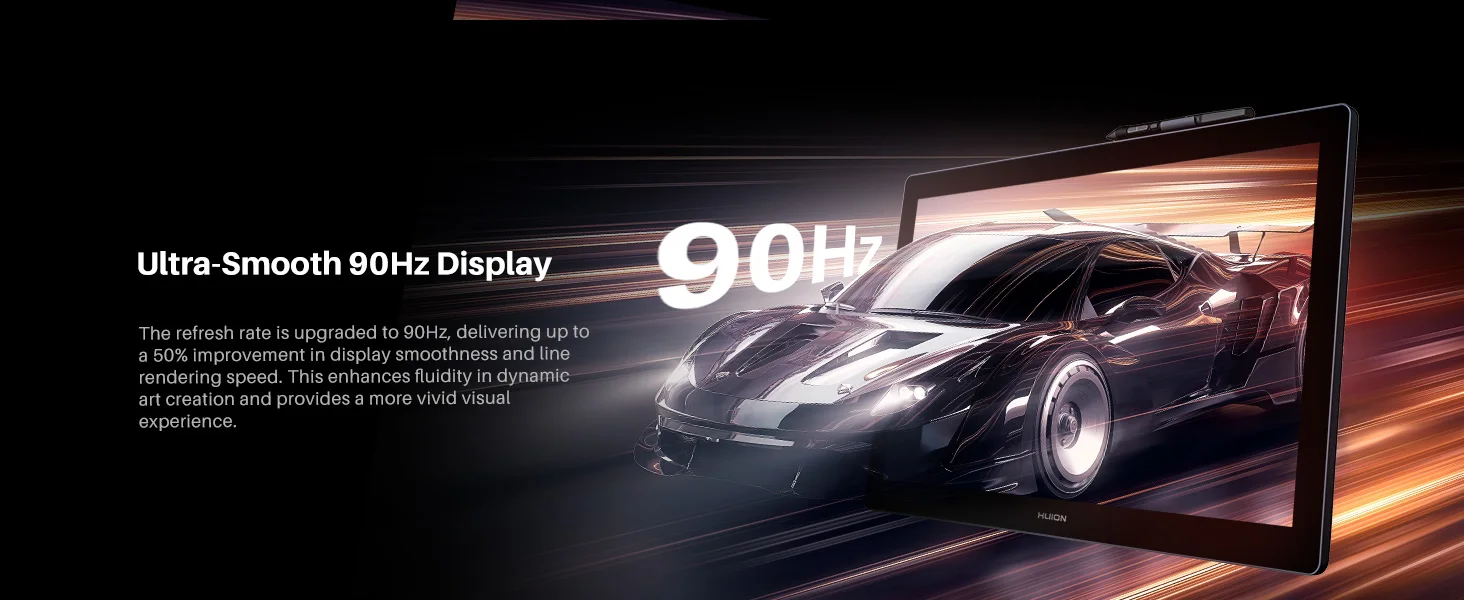
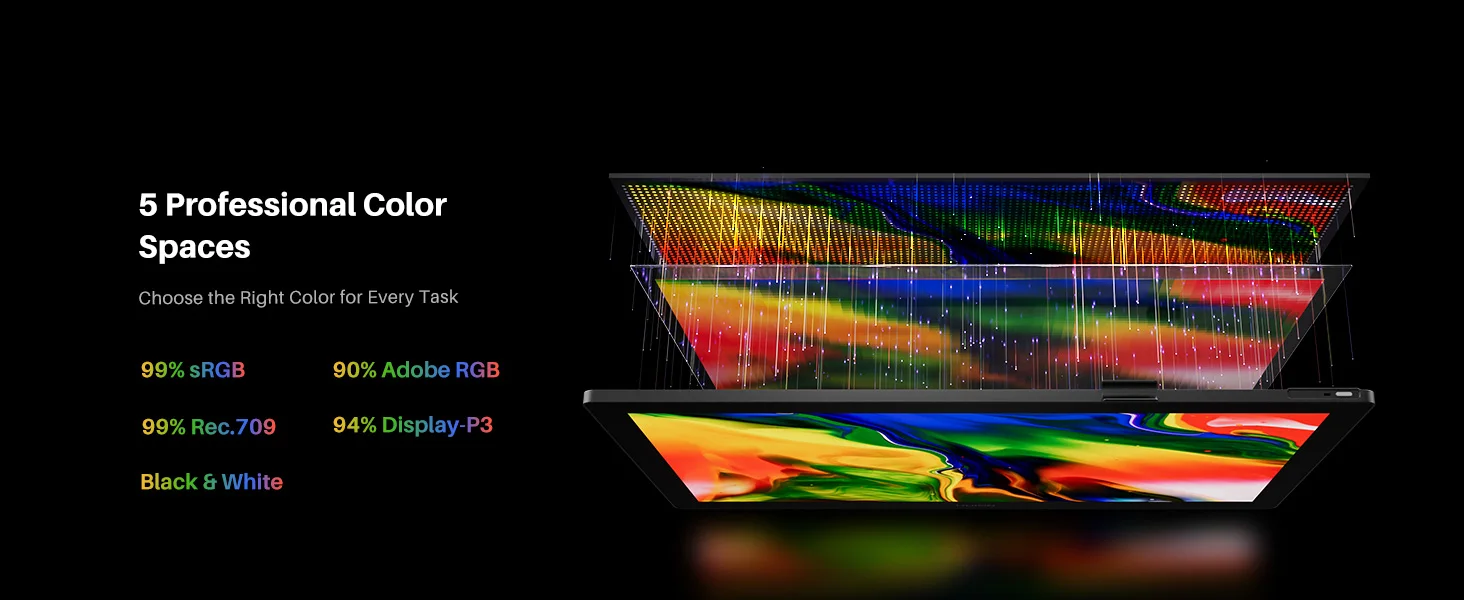
5 Professional Color Modes
Choose the Right Color for Every Task
The Kamvas 22 (Gen 3) features a high-quality display with five color modes that can be easily switched to meet various creative needs. It covers 99% sRGB and Rec.709, 90% Adobe RGB, and 94% Display P3 color gamut, delivering accurate colors for digital art creation and design. It also includes a black and white mode for convenient sketching and extended reading.
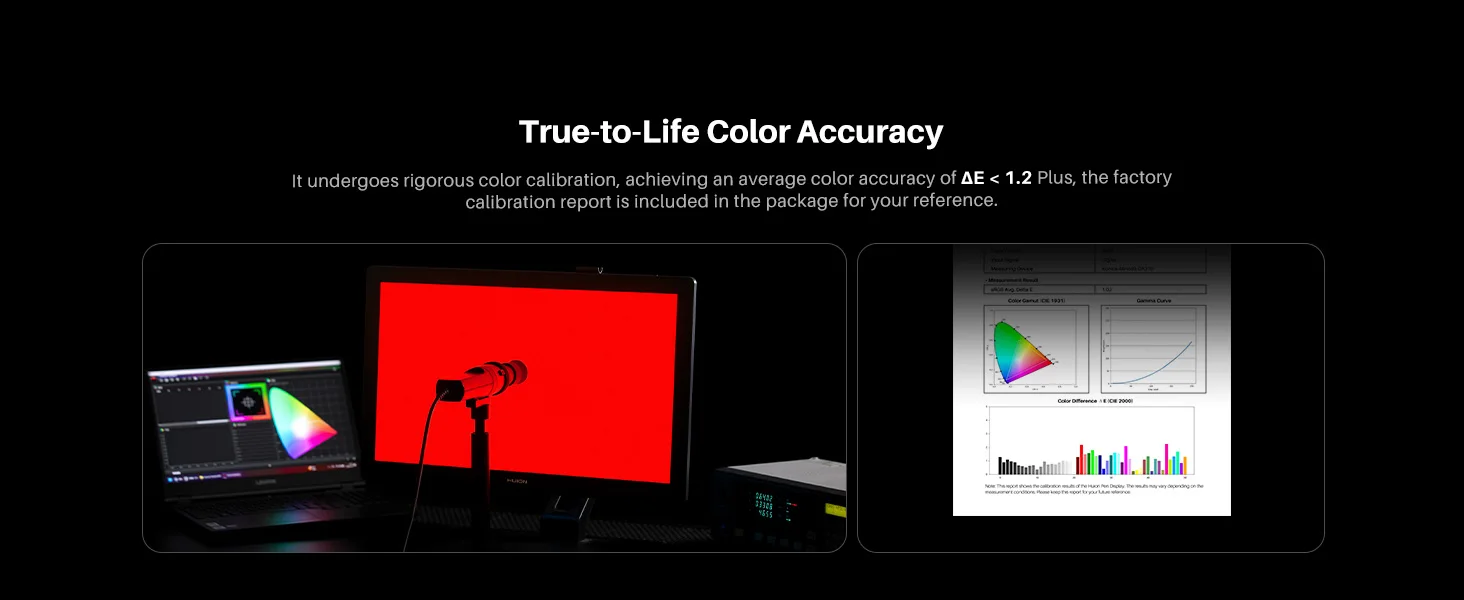
True-to-Life Color Accuracy
Kamvas 22 (Gen 3) covers a wider color gamut and supports 16.7 million display colors, bringing your images to life with rich and vibrant hues. It undergoes rigorous color calibration, achieving an average color accuracy of ΔE < 1.2. Plus, the factory calibration report is included in the package for your reference.
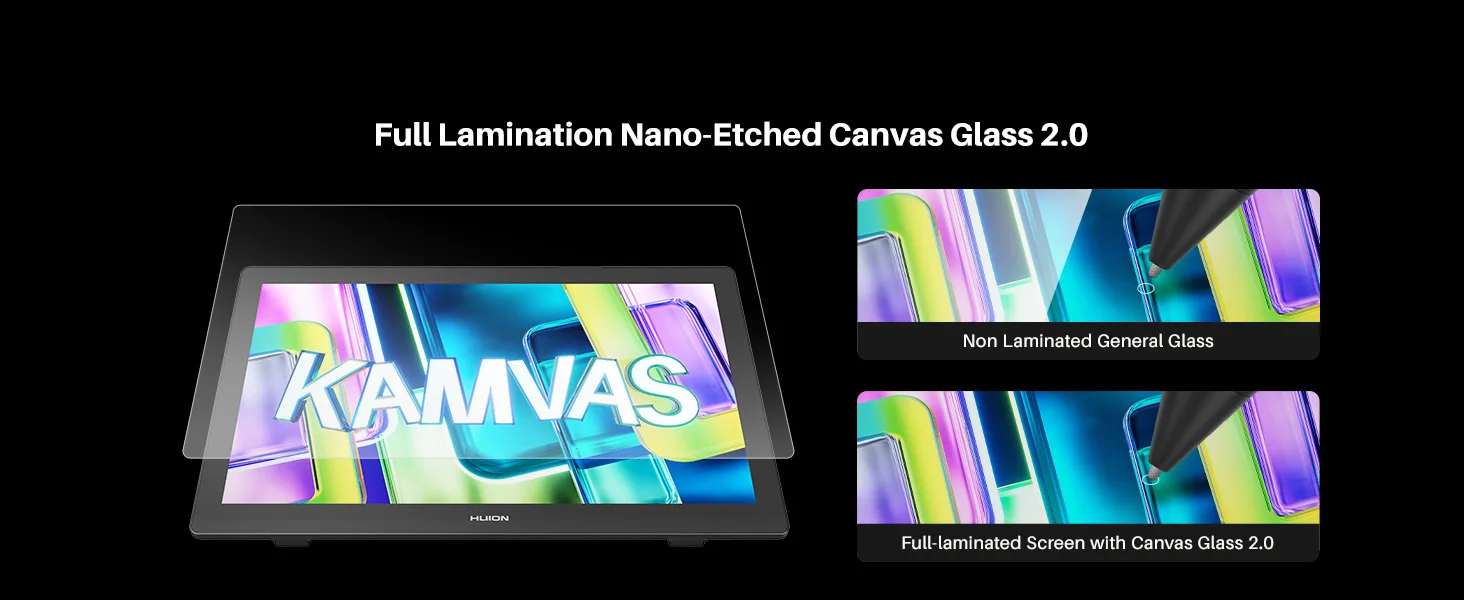
Reduced Reflections
The Canvas Glass 2.0 featured on the Kamvas 22 (Gen 3) effectively reduces glare and minimizes environmental reflections, helping to reduce eye strain. It also ensures vibrant display quality and comfortable visuals without any sparkles and graininess.
Enhanced Performance
With full-lamination technology, it eliminates air gaps, enhancing clarity and ensuring that every stroke follows the pen nib precisely. The durable and scratch-resistant finish extends the lifespan of the display while delivering a paper-like texture, making your drawing experience feel natural.
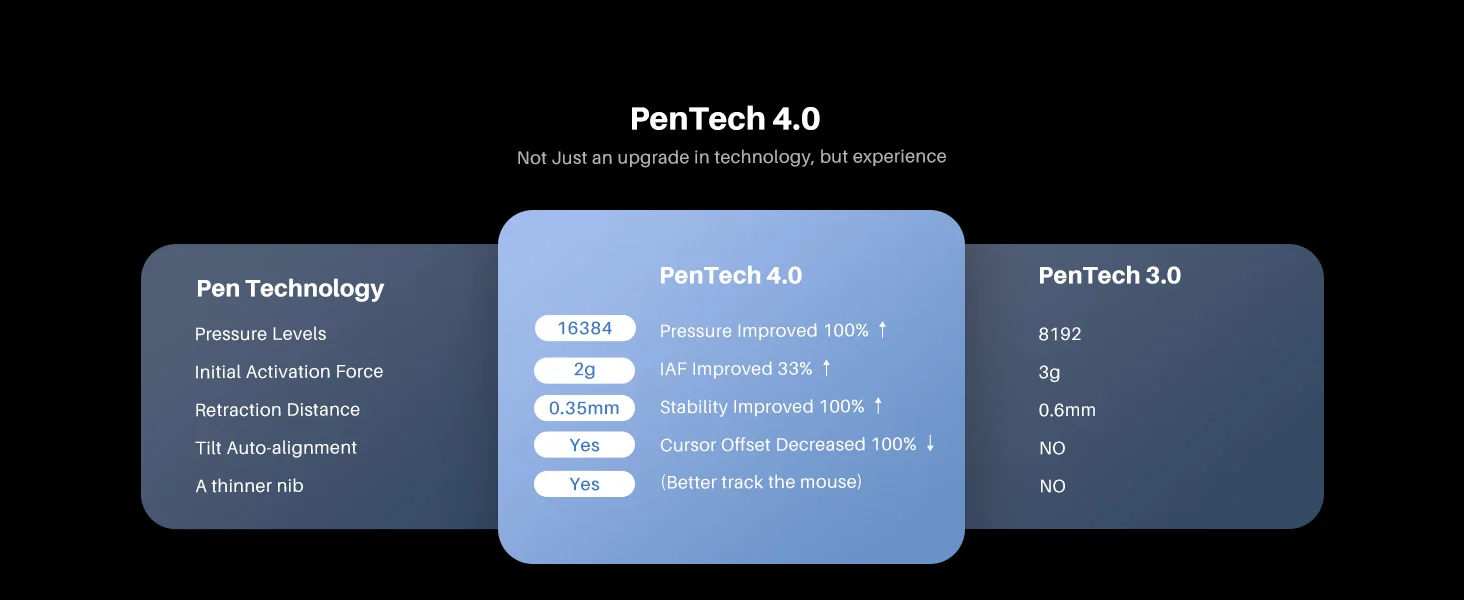
PenTech 4.0 Not just an upgrade in technology, but experience.
PW600L Like a Real Pen
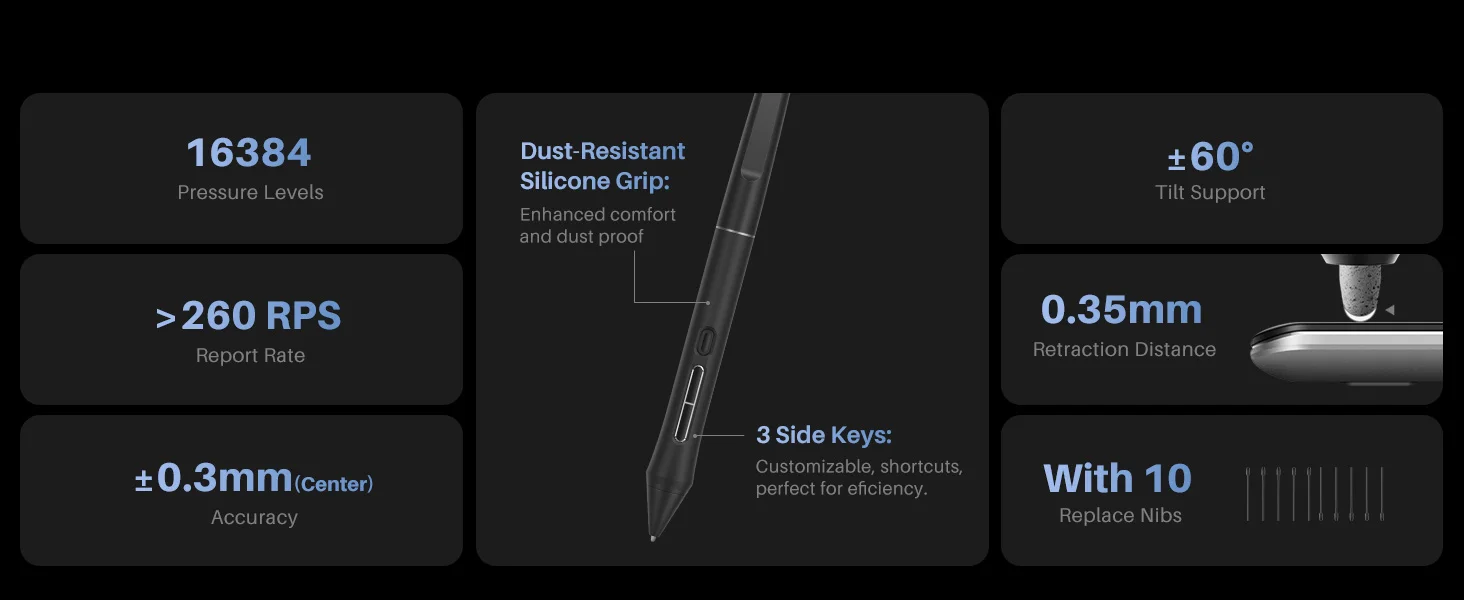
Kamvas 22 (Gen 3) features Huion's latest PenTech 4.0 technology. The PW600L pen is equipped with the HV200 chip, significantly enhancing pen pressure sensitivity and cursor tracking. With three side keys and a dust-proof grip, it not only provides a real pen-like experience but also boosts efficiency.
Precision From Pen Nib to Screen
Huion's PenTech 4.0 enhances the screen edge precision and minimizes cursor offset with tilt auto-alignment. And the smaller pen nib design keeps clear sight while drawing. It also optimizes the retraction distance within 0.35 mm to make the pen tip more stable and solid. You can choose between standard and felt pen nibs.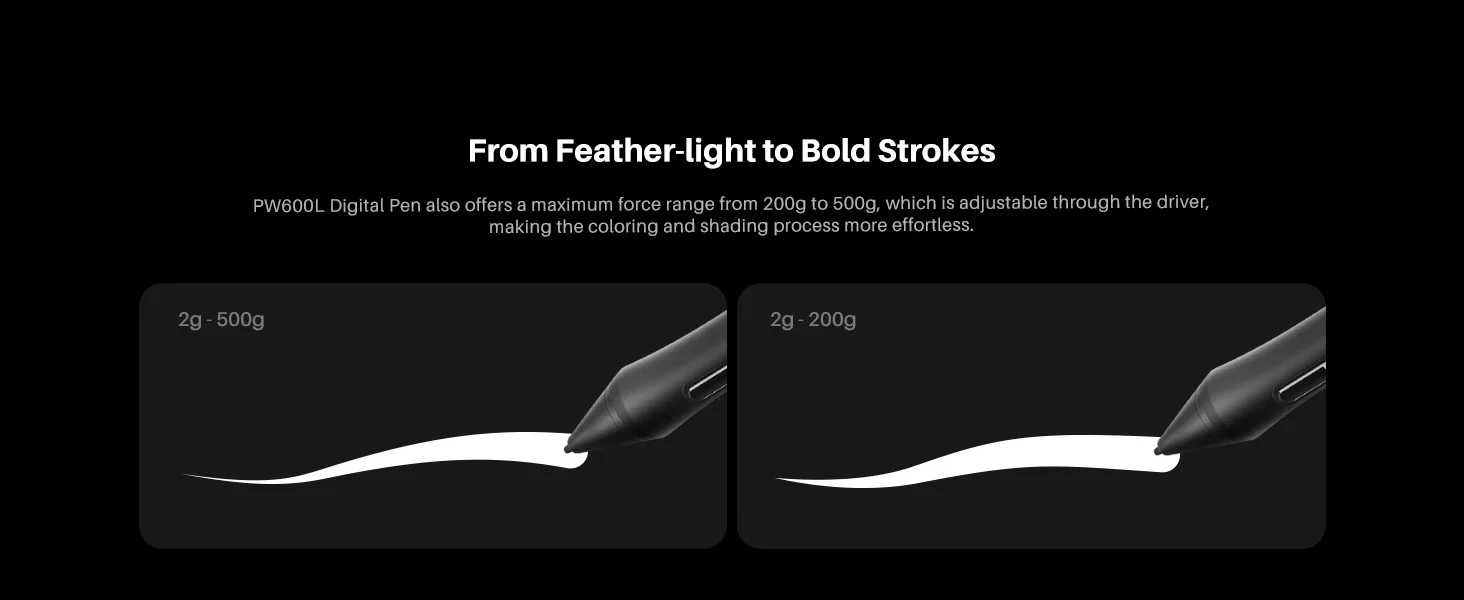
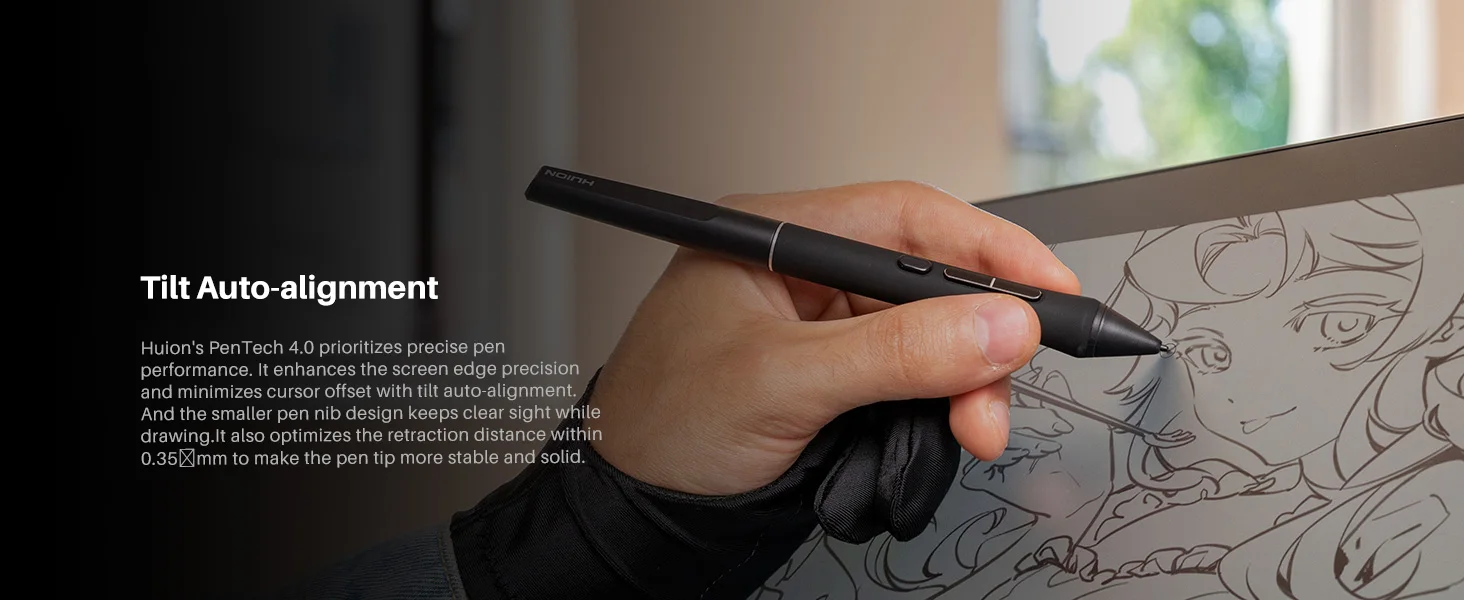
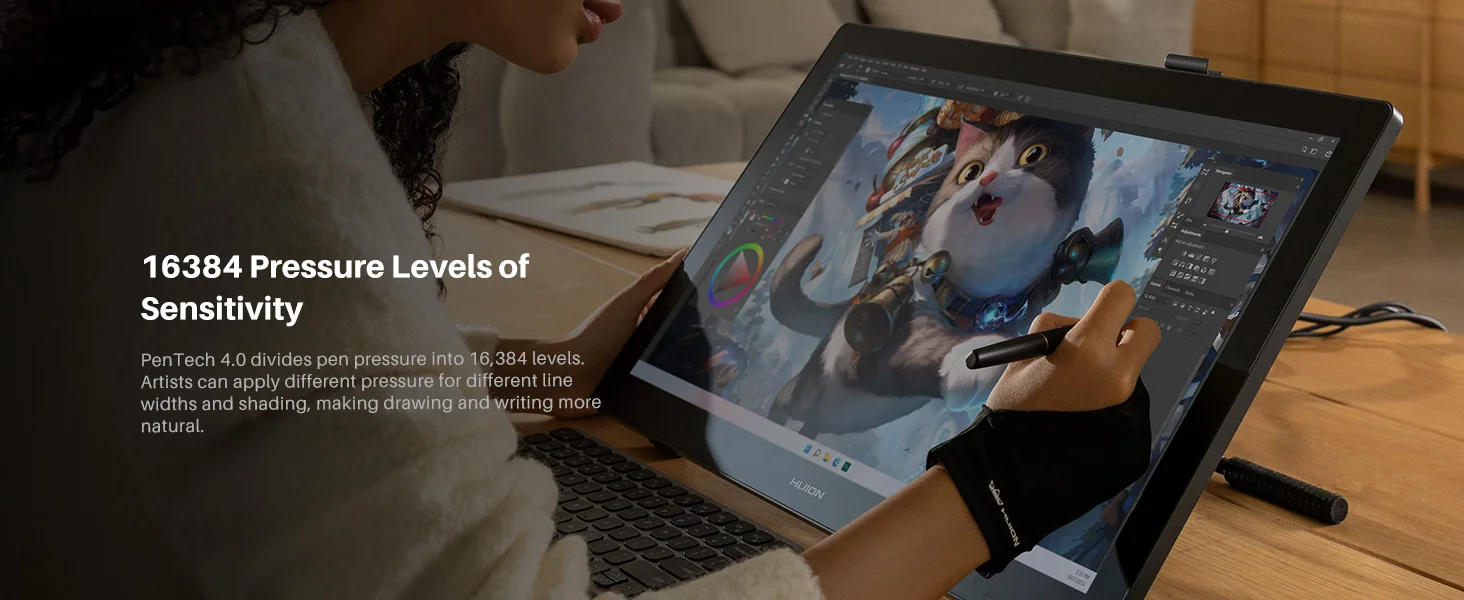
Natural and Sensitive Strokes, From Feather-light to Bold
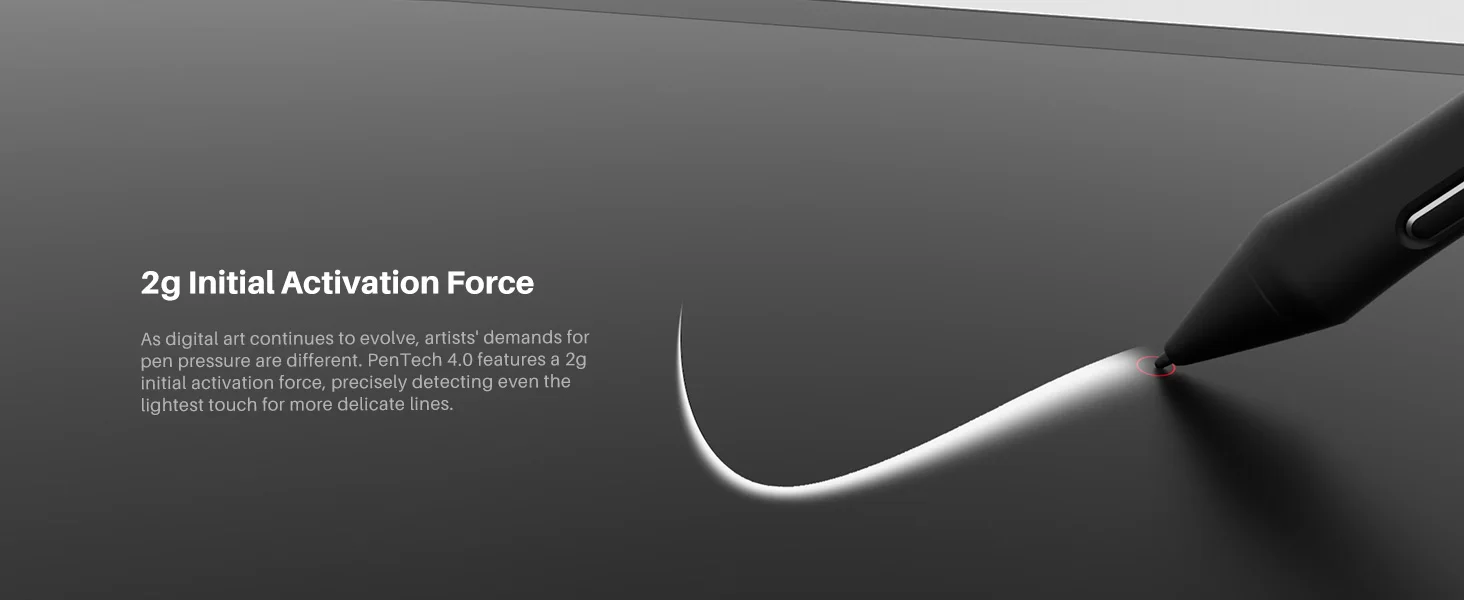
PenTech 4.0 divides pen pressure into 16,384 levels with a 2g initial activation force, capturing even the lightest strokes. The adjustable maximum force range from 200g to 500g makes coloring and shading easier. Additionally, ±60° tilt support helps imitate effects like shading or broad strokes, like a real brush or pen.
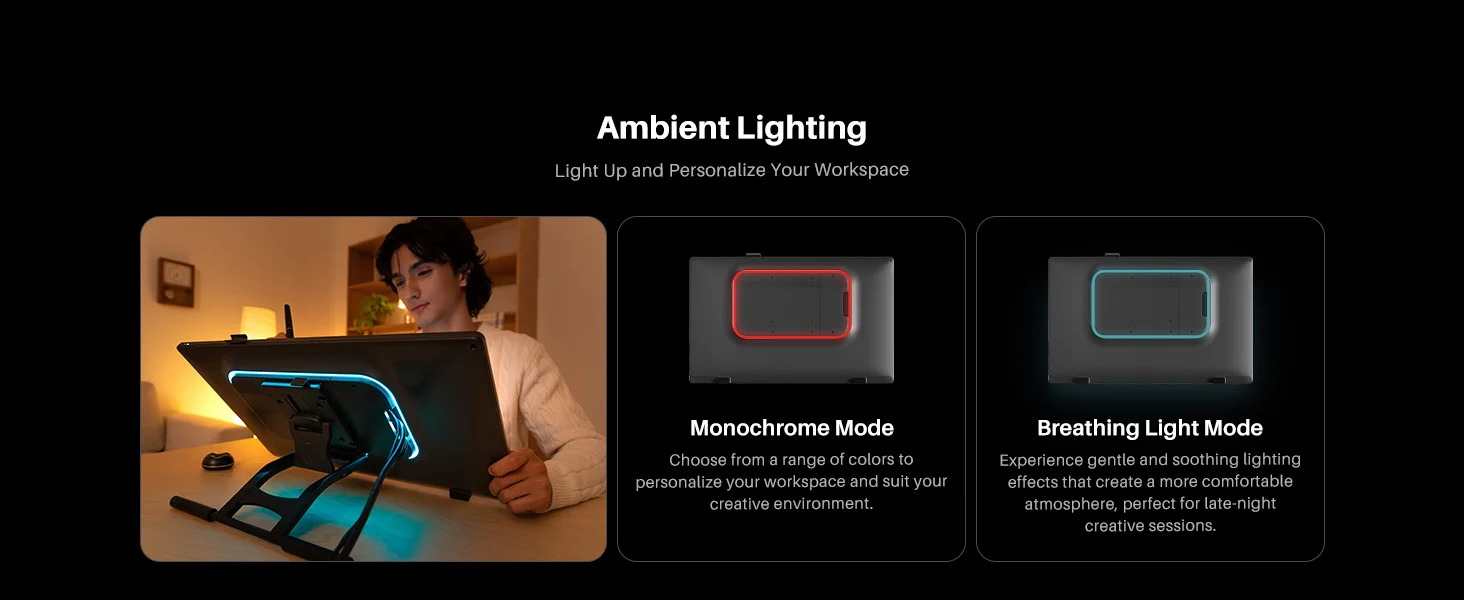
Ambient Lighting, Light Up and Personalize Your Workspace
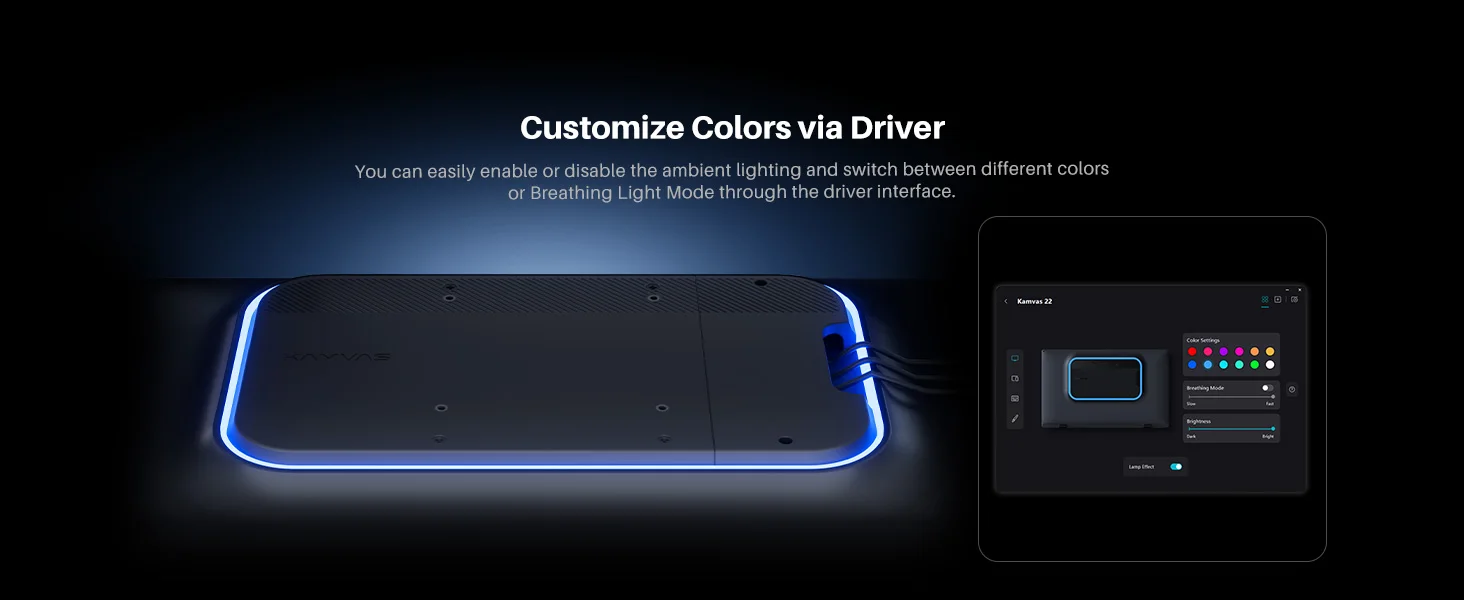
Kamvas 22 (Gen 3) features ambient lighting at the back, allowing you to create an atmosphere that complements your workspace style or mood.
Monochrome Mode: Choose from 12 colors to personalize your workspace and suit your creative environment.
Breathing Light Mode: Experience gentle and soothing lighting effects that create a more comfortable atmosphere, perfect for late-night creative sessions.
On Mac systems, the ambient lighting feature currently supports only MacBook Air and MacBook Pro models.
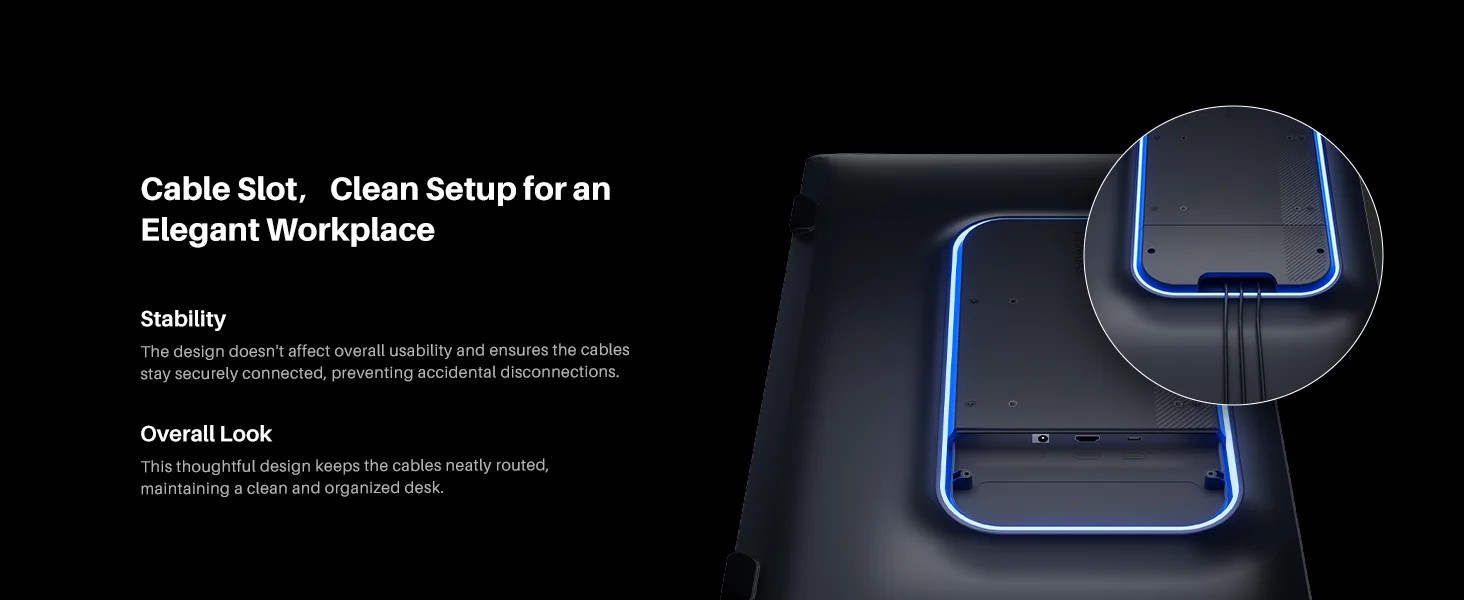
Cable Slot, Clean Setup for an Elegant Workplace
Kamvas 22 (Gen 3) features an integrated slot in the back shell that conceals the cable routing, keeping your workspace clean and tidy.
The design doesn't affect overall usability and ensures the cables stay securely connected, preventing accidental disconnections.
Overall Look: This thoughtful design keeps the cables neatly routed, maintaining a clean and organized desk.
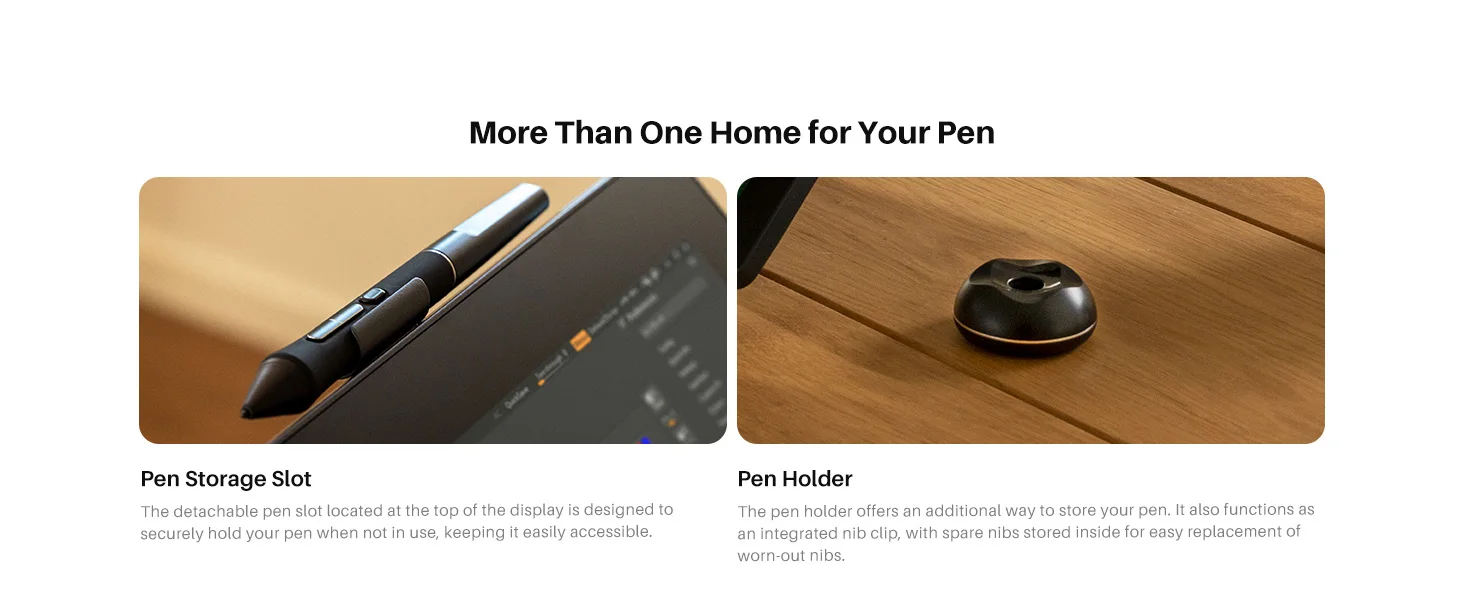
Pen Storage Slot & Pen Holder, More Than One Home for Your Pen
The detachable pen slot located at the top of the display is designed to securely hold your pen when not in use, keeping it easily accessible. The pen holder offers an additional way to store your pen. It also functions as an integrated nib clip, with spare nibs stored inside for easy replacement of worn-out nibs.
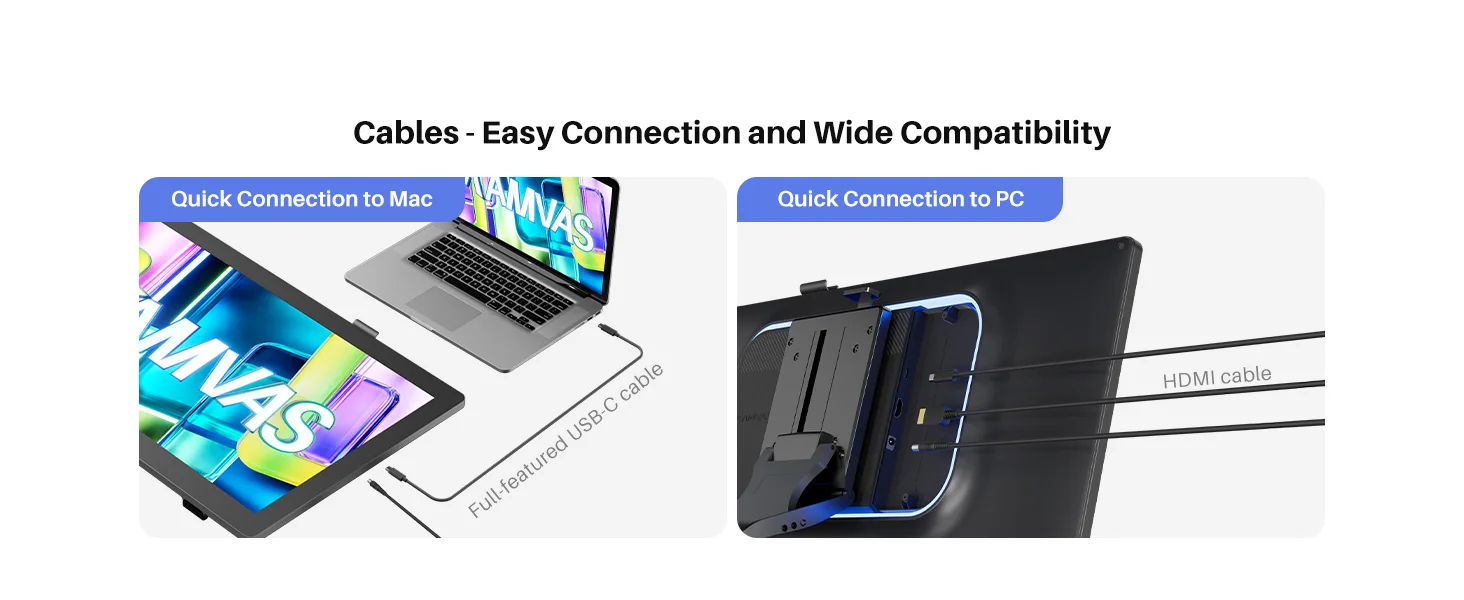
Multiple Cables, Easy Connection and Wide Compatibility
Stable Connection to Mac: Use the full-featured USB-C cable to quickly connect the pen display to your Mac. This setup is convenient for switching between your MacBook and other mobile devices.
Stable Connection to PC: Use the HDMI cable to connect the pen display to your PC. This option is perfect for desktop use or independent studios.
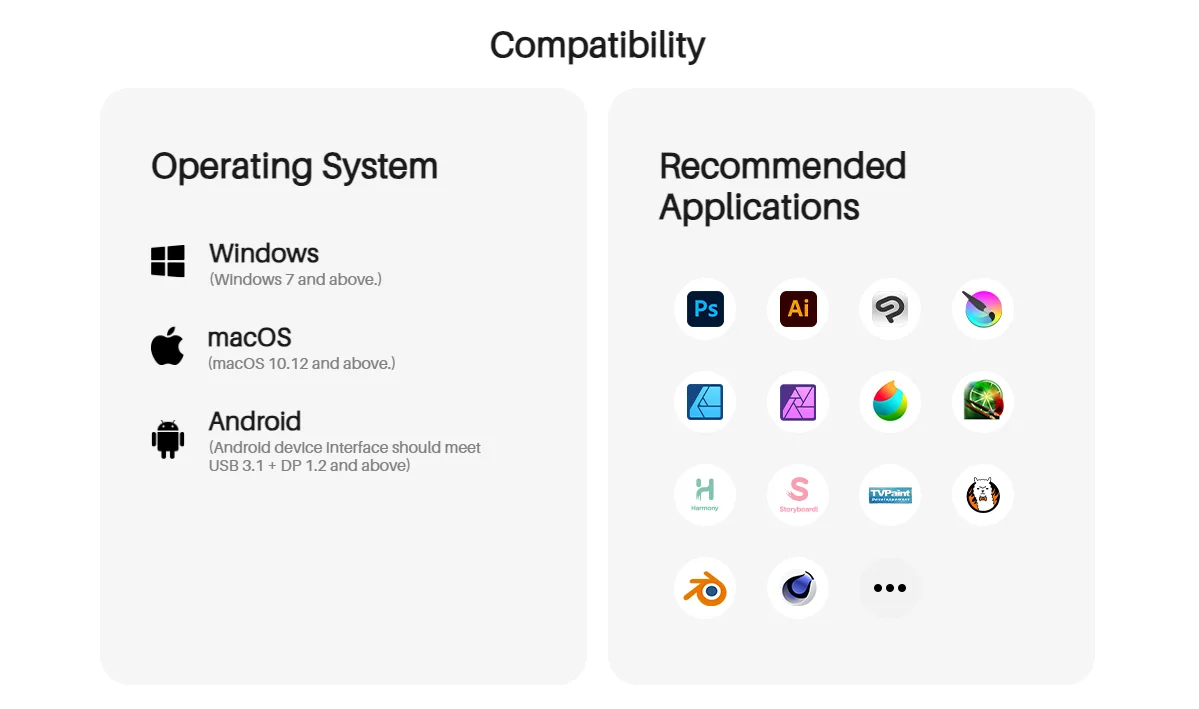
Compatibility: Windows 10 or later, macOS 10.12 or later, Android 6.0 or later(requests USB 3.1 +DP 1.2 and above)
-
Mac System Compatibility Notice: Based on existing test results, compatibility is confirmed as follows:
Supported Devices: MacBook Air, MacBook Pro
Devices Not Currently Supported: Mac Mini, Mac Pro, iMac
The terms HDMI, HDMI High-Definition Multimedia Interface, HDMI Trade dress and the HDMI Logos are trademarks or registered trademarks of HDMI Licensing Administrator, Inc.
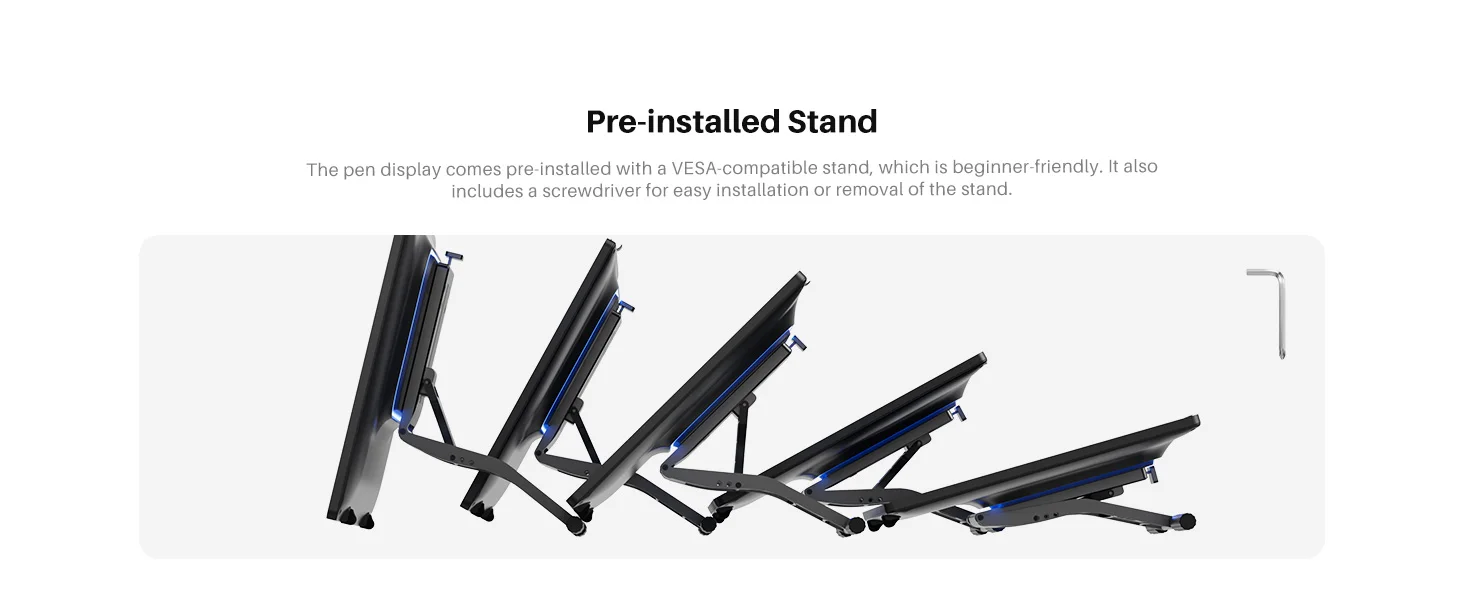
Adjustable VESA Stand Pre-installed and Ready to Use
The pen display comes pre-installed with a VESA-compatible stand, which is beginner-friendly. It also includes a screwdriver for easy installation or removal of the stand.
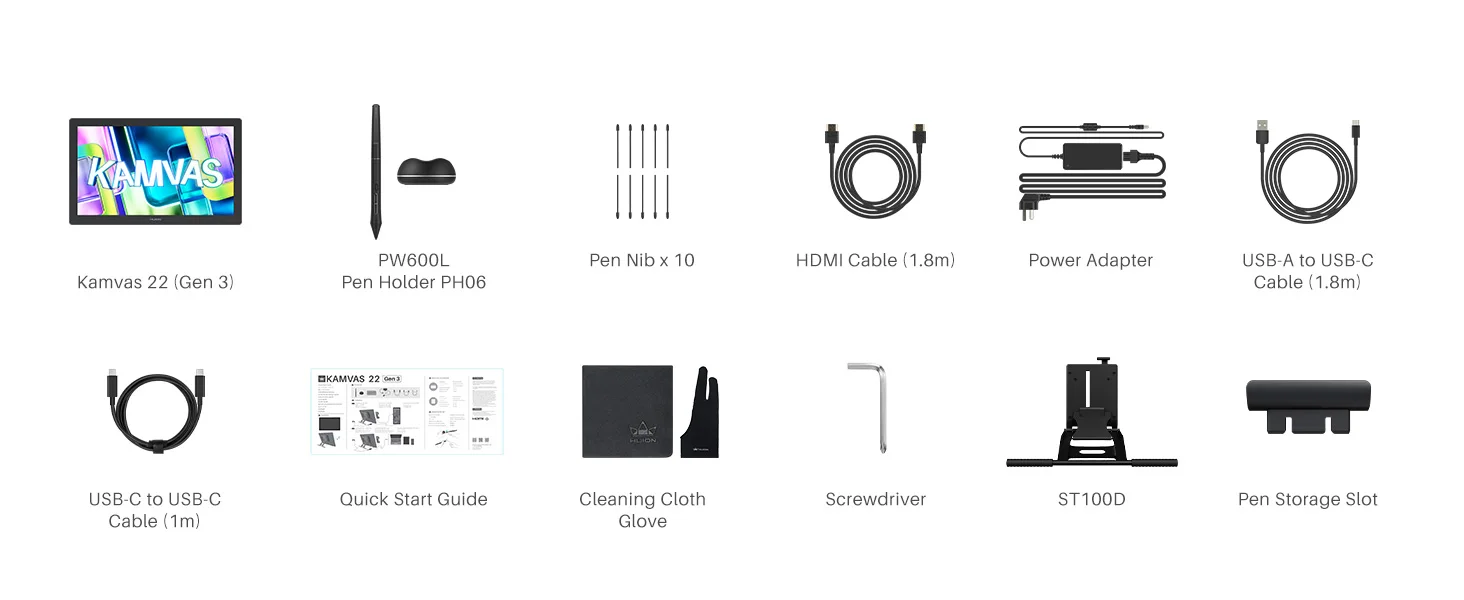
Package: Kamvas 22 (Gen 3), Adjustable Stand ST100D, Battery-free Pen PW600L, 10Standard Pen Nibs (Inside the Pen Holder), Pen Holder, Pen Slot, HDMI to HDMI Cable (1.8m), USB-C to USB-A Cable (1.8m), USB-C to USB-C Cable (1m), Power Adapter (Image for reference; plug may vary), Screwdriver & Screw Set, Artist Glove, Cleaning Cloth, Quick Start Guide, Color Calibration Report.
Shipping and Return Policy
- Shipping: Shipping is free on orders above 70$. Domestic orders can take 4-8 business days whereas international shipping may take 15-25 days. Standard Shipping may vary on State and Location.
- Returns: We offer a 30-day return policy on items in new, unused condition. Please contact our customer support team to initiate a return. A restocking fee may apply.