
Free 1-Year Remote Support
Eligible laptops, desktops, workstations, mini PCs, monitors and other items include complimentary 1-year remote technical support from Win Support Tech. Our team can assist with device setup, software installation, Windows troubleshooting, driver issues, performance optimization, printer connectivity, email configuration, and general technical assistance. Support is provided remotely through secure support tools, phone, or email. Product eligibility may vary.
Product Highlights
SPECIFICATIONS
Application: Desktop,Laptop
Battery Included: Yes
Brand Name: Rii
Certification: CE,FCC,RoHS
Full Size keyboard: No
High-concerned chemical: None
Interface Type: USB
Keyboard Standard: Mini Keyboard
Language: French,Hebrew,English
Operation Style: Capacitive
Origin: Mainland China
Package: Yes
RII Model: K18+
Style: for Tablet
Type: 2.4Ghz Wireless
Wrist Support: No
Rii K18S/RT518S Mini Bluetooth +2.4GHZ Wireless 2-LED Color Backlit Multimedia Keyboard Mouse Rechargable Keyboard For Android TV Box /PC





Rii K18+/RT518 Wireless 3-LED Color Backlit Multimedia Keyboard with Multi-Touch Big Size Trackpad,Rechargable Keyboard for Android TV Box,PC,Smart TV,Xbox,Raspberry Pi,Tablet, HTPC IPTV,Windows, MacOS


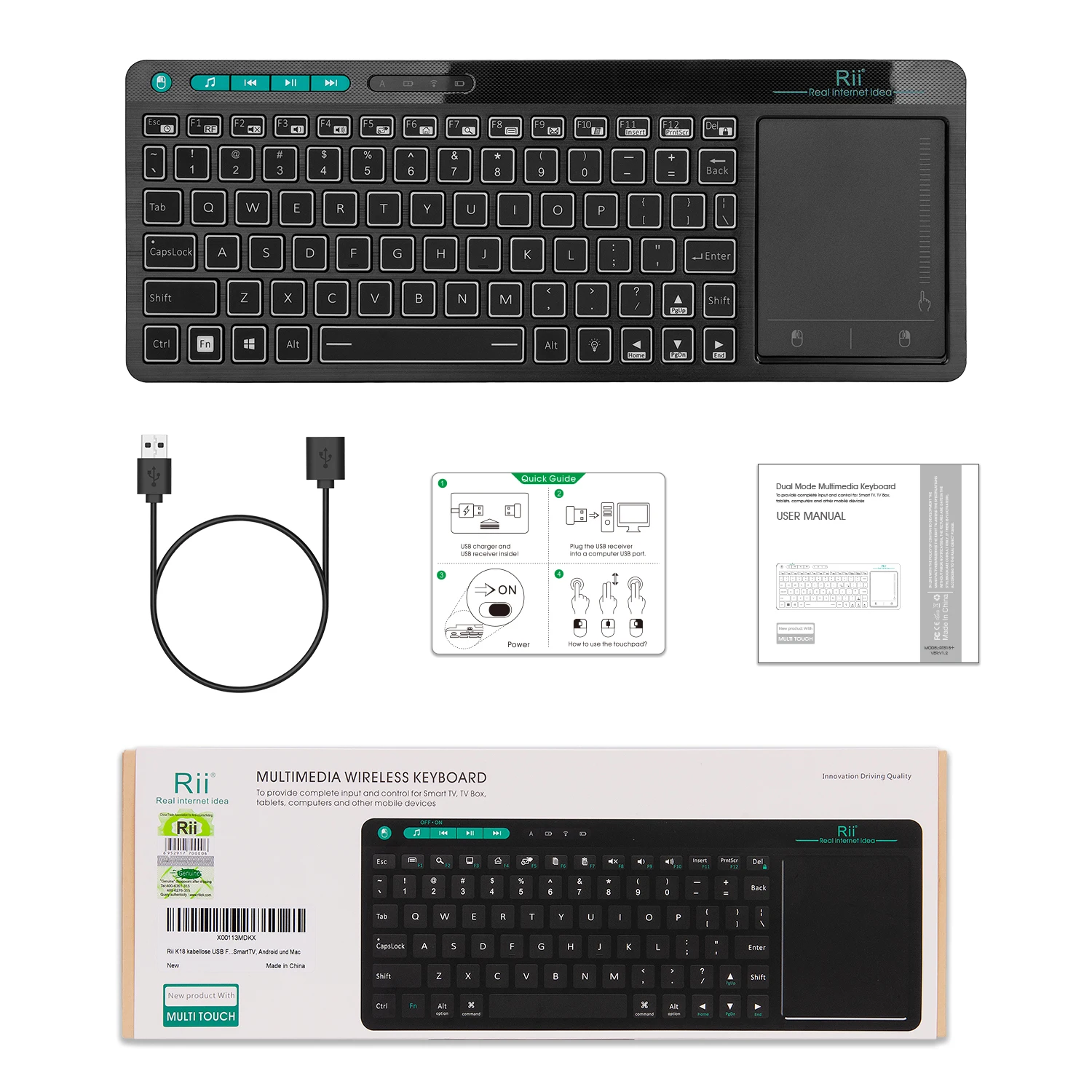
Rii as the first mini keyboard brand ,all keyboards designed by Riitek
Team. Wireless Touch Keyboard,3-Colors Backlight Keyboard,First
Multi-Touch Big Size Trackpad ,Rechargeable keyboard for Android TV
BOX,SmartTV,Xbox,RaspberryPi,PC,Tablet,HTPC,Android ,Windows ,MacS.
Product Operation
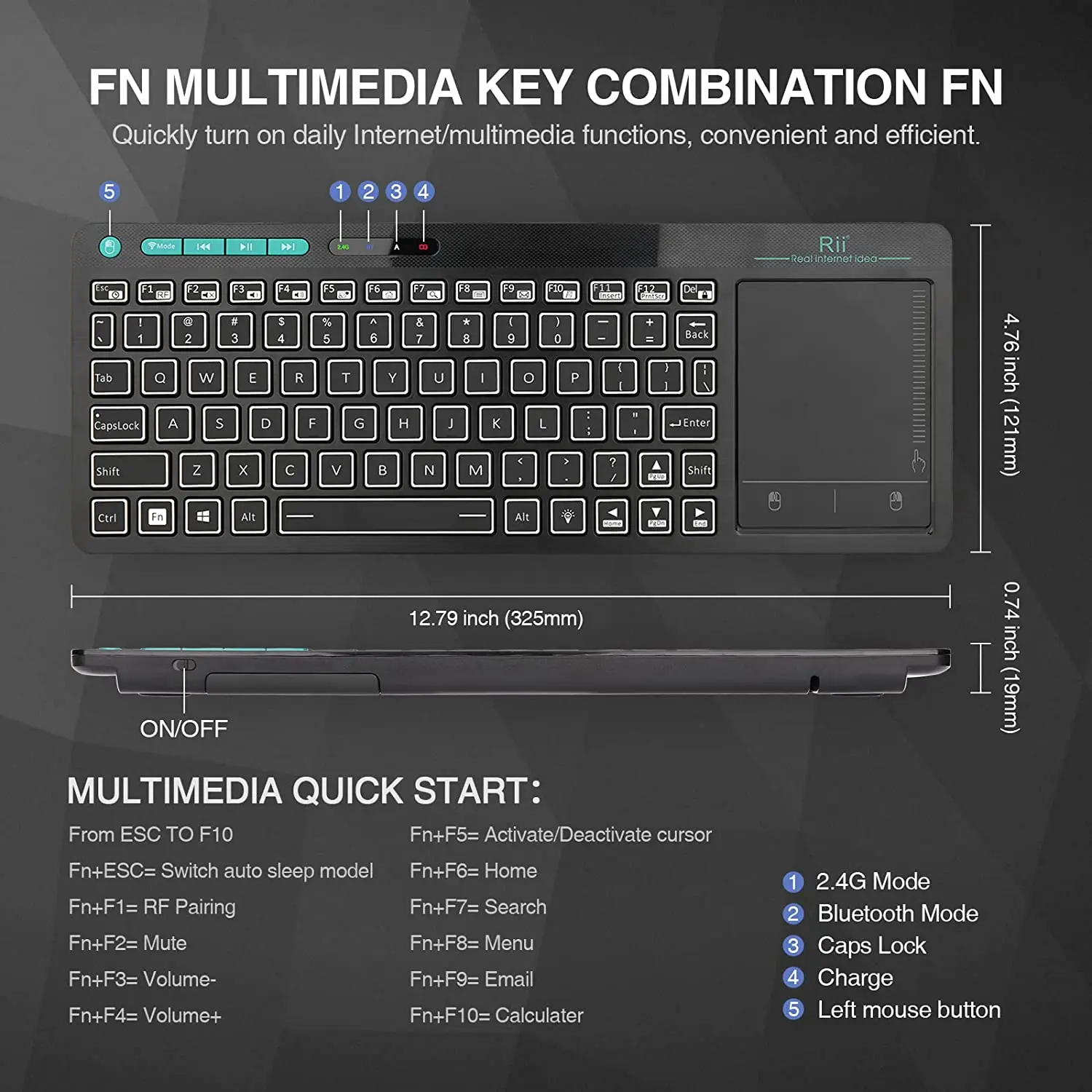
USB Receiver Location
The USB Receiver locates the back bottom .
Open the back case ,you will find the USB receiver and the Recharge
Cable together.
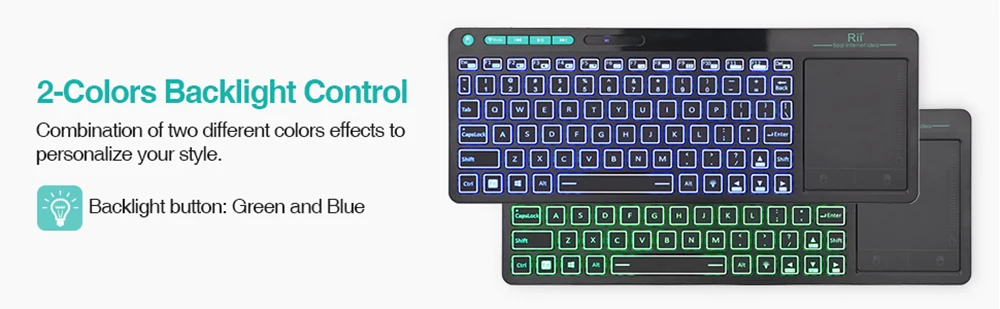
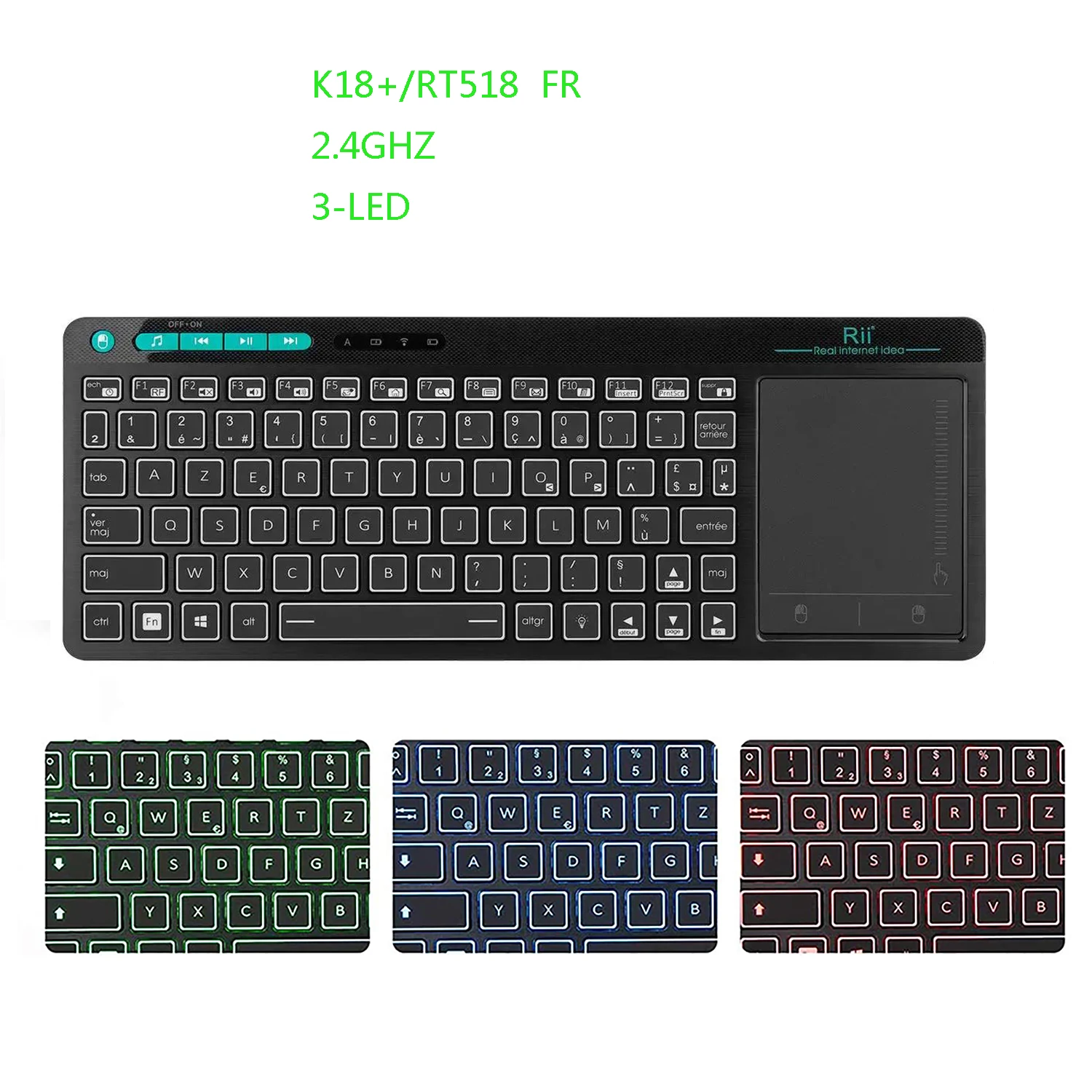
Backlight Control
1.The Bulb button at the rigth bottom side as the Backlight control button
2. Backlight colors: Red ,Green,Blue.
Trackpad Operation
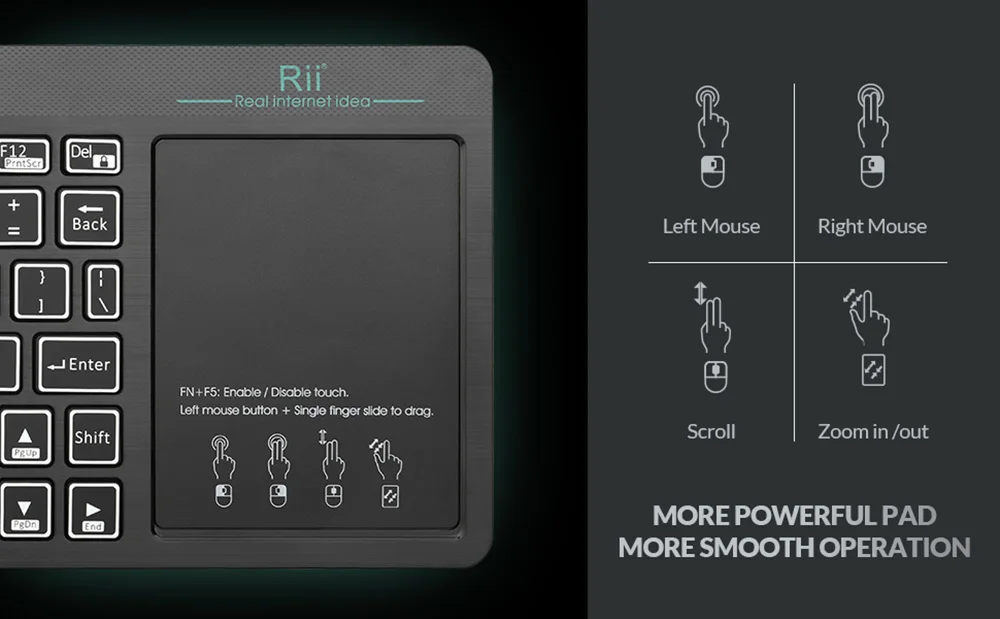
1.Single finger click: Left Mouse
2.Two fingles click: Right Mouse
3.Two fingles slid: Zoom in/out
Rechargeable Wireless Keyboard
Built-in Rechargeable keyboard .Once recharge last about 2 weeks.
Repair Method
When the indicator LED always flash,you could try to repair as the
following two steps ,
1.Press the ESC button and turn on the keyboard at the same time
2.Insert the USB dongle into your main device's USB port and the White
LED will flash 3-5s ,then off ,that means the repair success .
Warm Tips
1.When you use the wireless keyboard on Fire TV, you need an OTG cable.
2.The Samsung newest smart TV doesn’t support all the functions of
the standard keyboard and mouse.
3.When you press ‘a’ but appear ‘aaaaaa’ or the keyboard has very
short connection distance, because the signal is interfered.
4.Here is the solution: taking out of the extension cable in the
package to connect your TV and the USB receiver.
5.If the signal indicator flashes fast, it means the keyboard lost
connection with USB receiver. Please repair it according to repair
steps in user Manual.



Shipping and Return Policy
- Shipping: Shipping is free on orders above 70$. Domestic orders can take 4-8 business days whereas international shipping may take 15-25 days. Standard Shipping may vary on State and Location.
- Returns: We offer a 30-day return policy on items in new, unused condition. Please contact our customer support team to initiate a return. A restocking fee may apply.